How it works

Preparation first. Speaking with purpose.

OracyNet breaks speaking into small, supportive actions. Vocabulary, listening and sentence rehearsal prepare every learner for an achievable speaking mission.

01Words02Prepare03Build04Speak05Feedback
OracyNet Primary Speaking Realm

The Realm connects every mission

Progress becomes a world students can see.

Completed missions unlock visual milestones and grow the student’s Realm without turning learning into public competition.

01

Words

See it. Hear it. Use it.

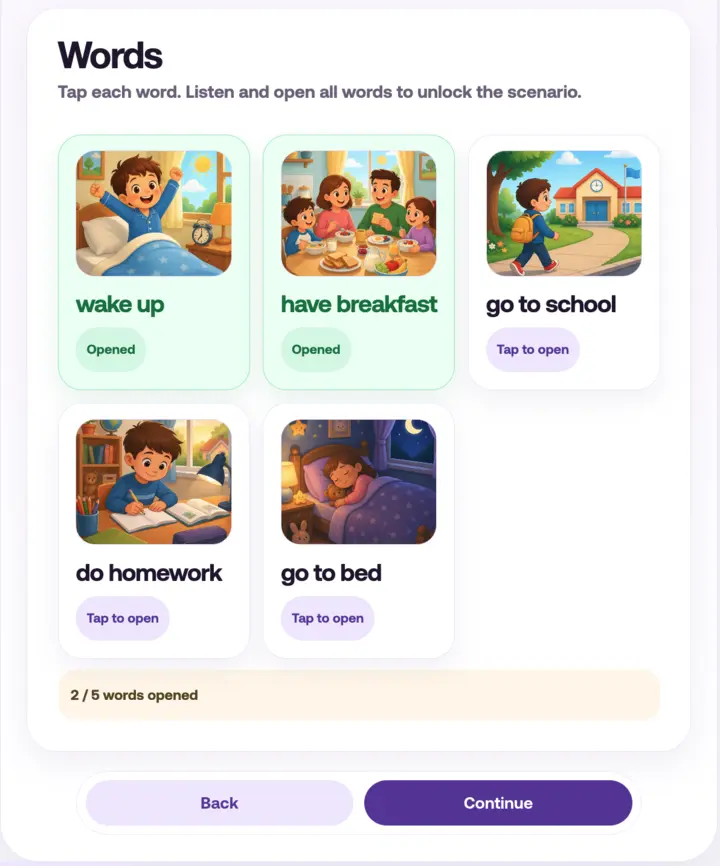
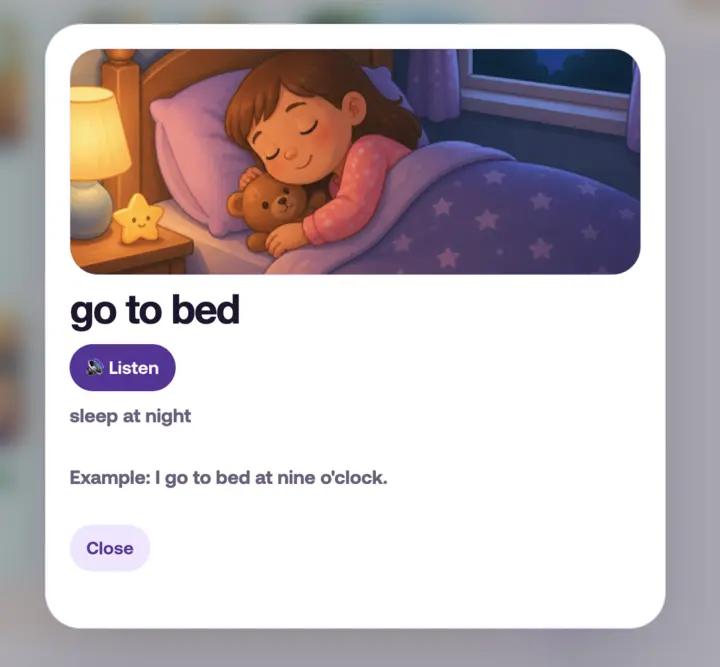
Each sprint introduces a focused word set through real images and audio. Learners can open each card, listen again and connect the word to a meaningful visual.

  • Visual vocabulary cards
  • Tap-to-listen pronunciation
  • Age-appropriate meaning support
  • Clear completion progress
OracyNet visual word cards
Explore the sprint’s target words
Opened word card with pronunciation and meaning
Open, listen and understand
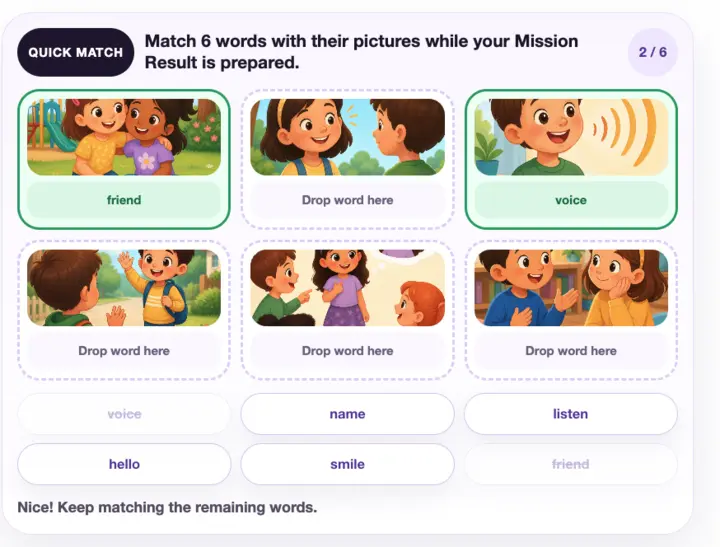
OracyNet picture and word matching activity
Real sprint activity: picture-word matching
02

Preparation activities

Practice that feels playable.

Students match pictures and words, listen for meaning and complete short checks. Gamification rewards progress through the pathway—not random clicking.

  • Picture-word matching
  • Focused listening prompts
  • Multiple-choice checks
  • Immediate, supportive cues
03

Sentence building

Build the thought before saying it.

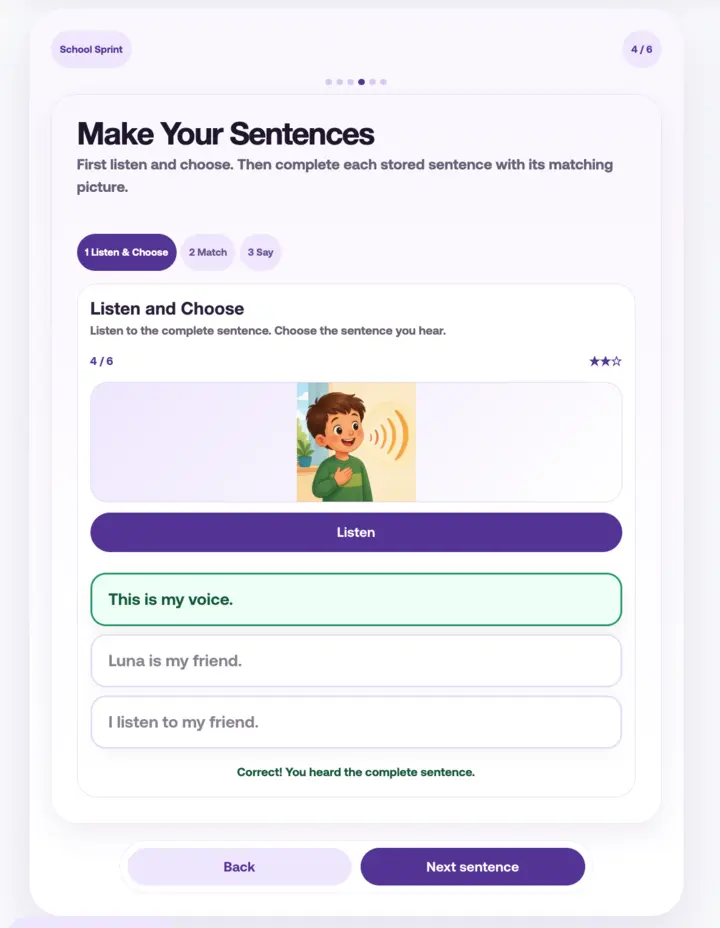
Sentence frames help students move from isolated words to complete ideas. They listen, choose and rehearse useful patterns before the microphone appears.

  • Listen-and-choose activities
  • Sentence pattern rehearsal
  • Visual meaning cues
  • Speaking preparation
OracyNet listen and choose sentence activity
Real sprint activity: listen, choose and build
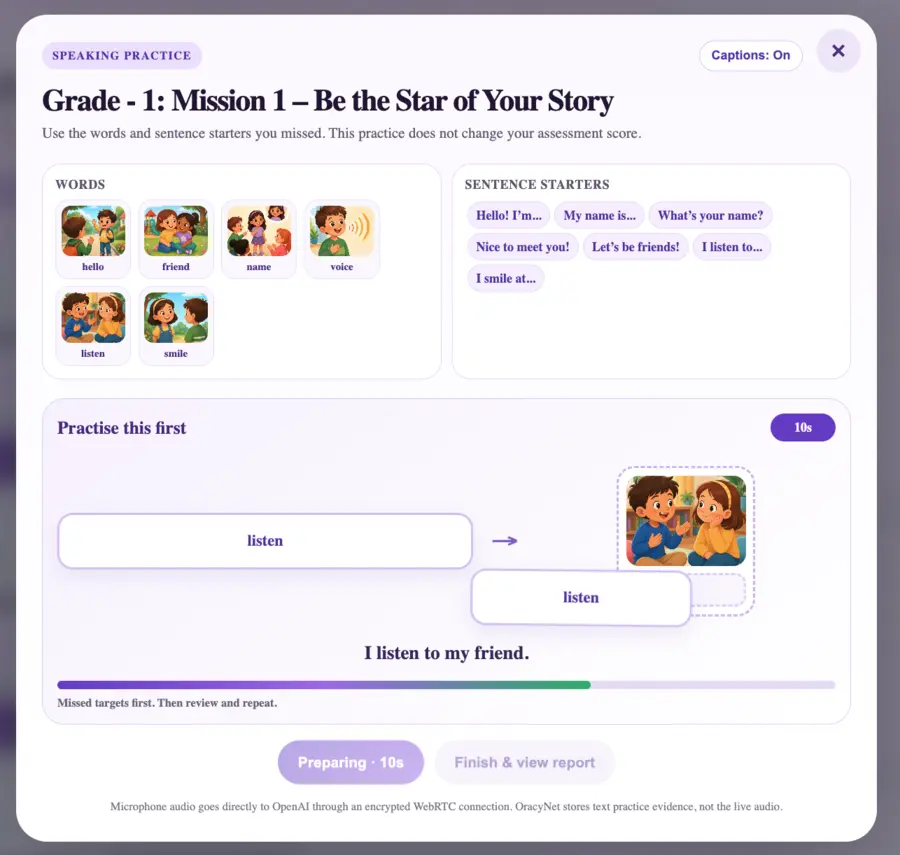
OracyNet guided speaking practice screen
Target words and sentence starters stay visible while speaking
04

Speaking

A calm space to find their voice.

The guided recording view keeps the speaking objective visible and distractions low. Students can focus on one achievable mission at a time.

  • Clear target vocabulary
  • Useful sentence starters
  • Simple recording controls
  • One focused mission at a time
05

AI feedback

Evidence, not a mystery score.

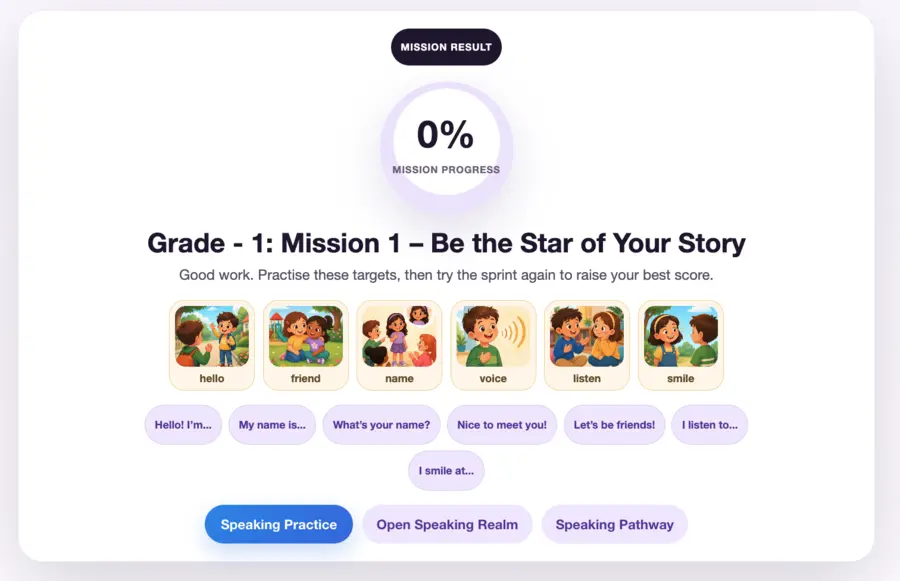
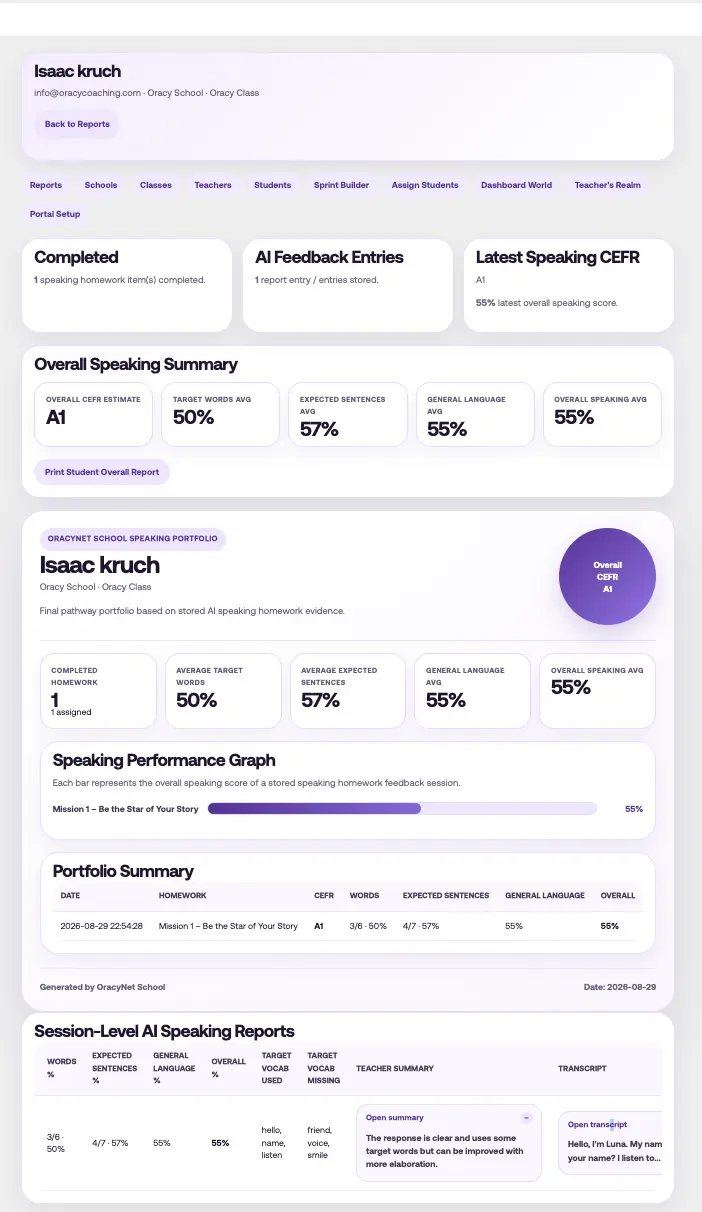
Students receive understandable feedback while teachers retain the detailed evidence: transcript, target words used or missing, sentence evidence, CEFR indication and teacher summary.

Bring every voice into the room

See OracyNet with your school.

Book a focused walkthrough of the student journey, teacher tools and AI speaking reports.

Book a demo School login